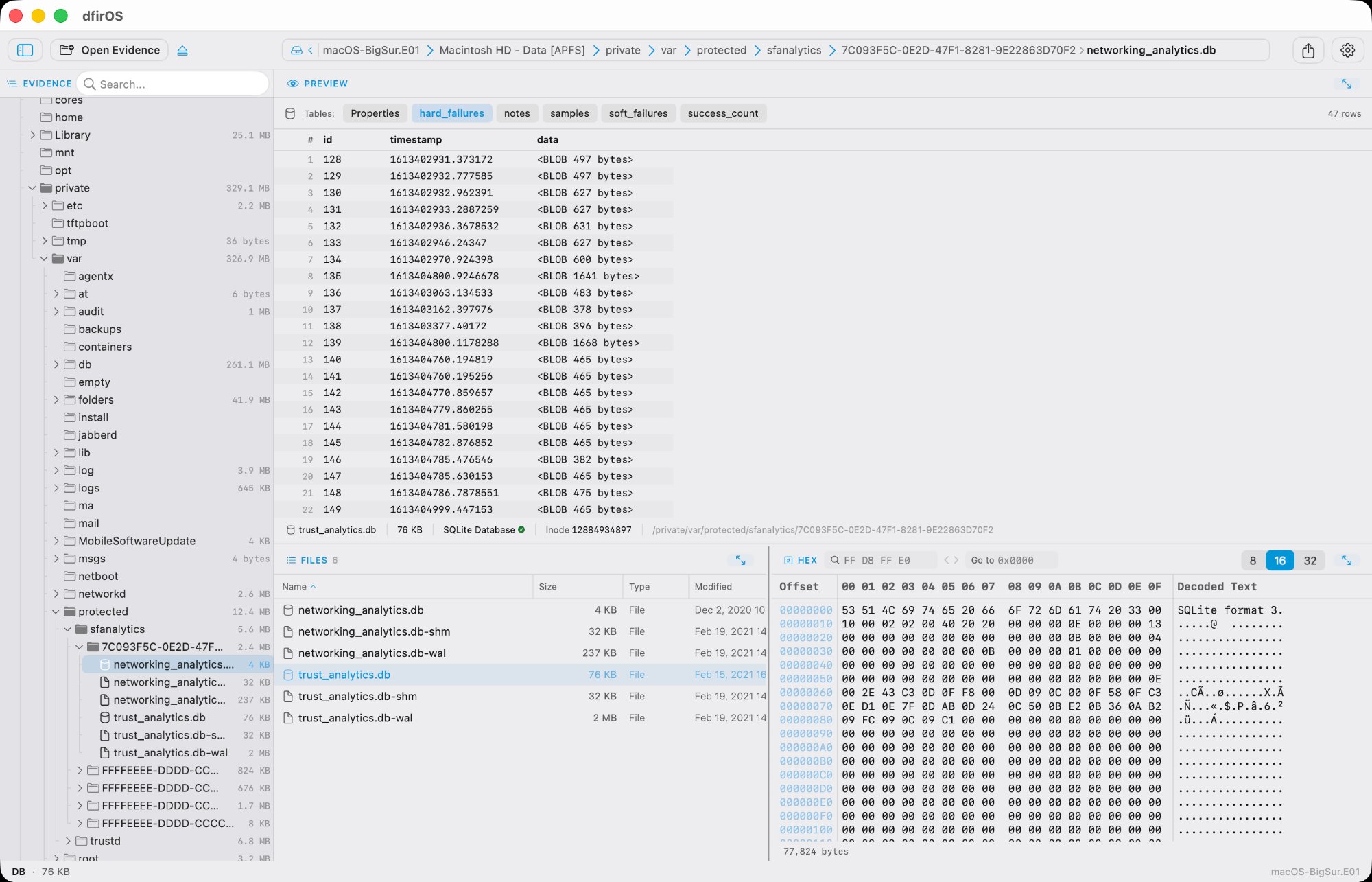
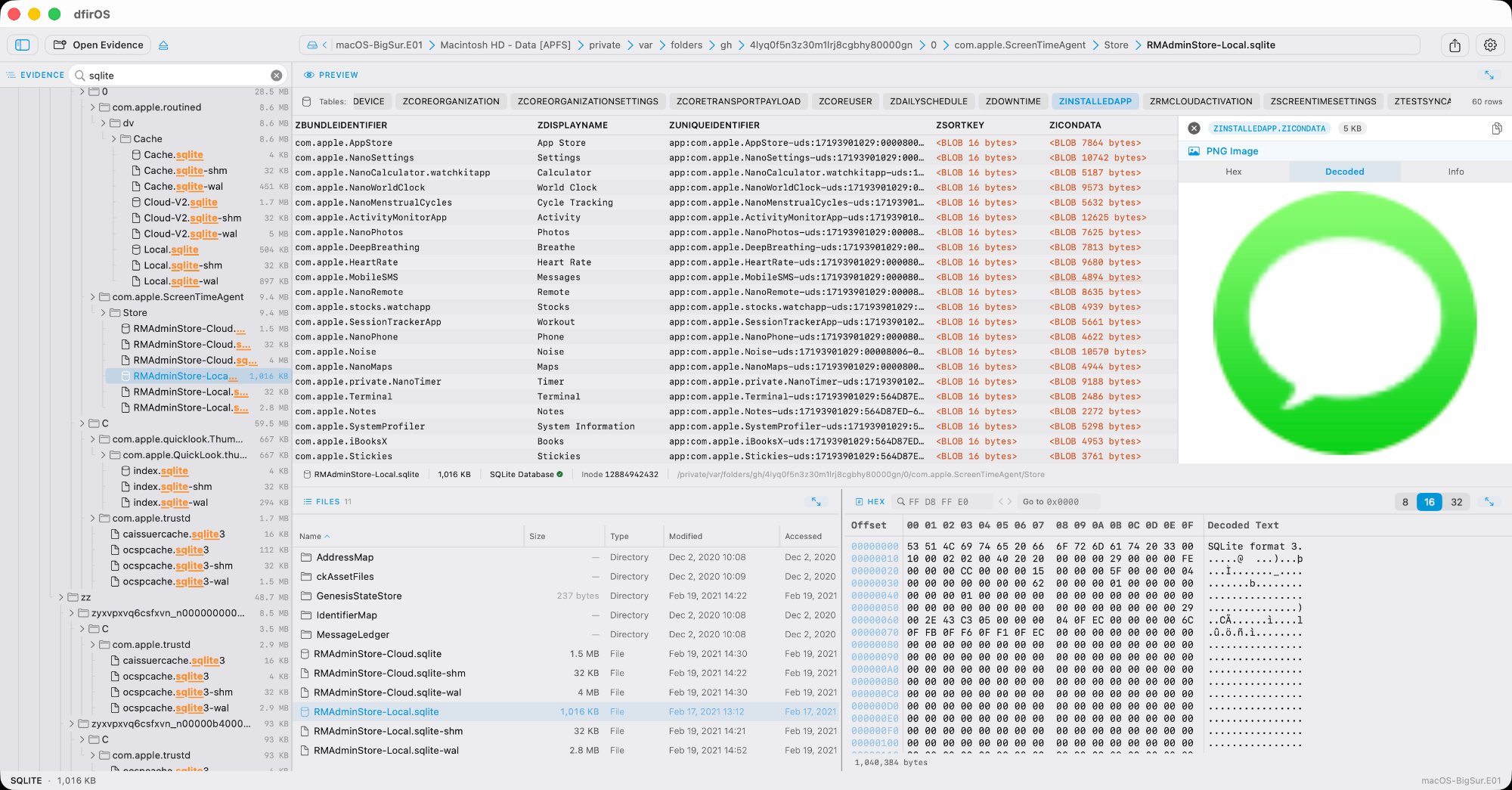
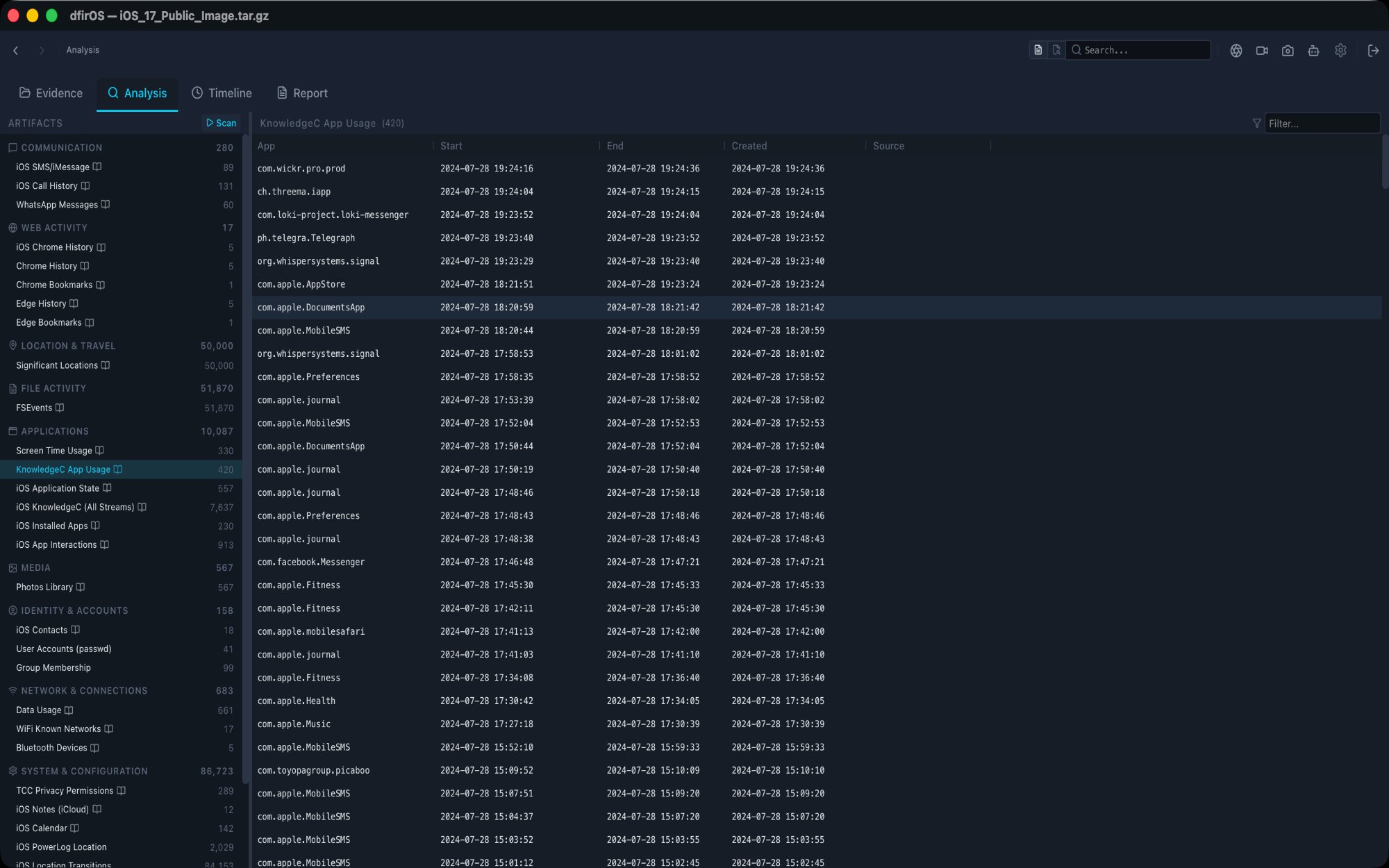
A digital forensics platform for examining disk images and mobile device backups. Built for forensic examiners, incident responders, and cybersecurity professionals.
macOS · Windows
E01, AFF4, raw disks, mobile backups, and more.
EnCase E01, AFF4, raw/dd, DMG, and ISO disk images with automatic file system detection.
iTunes backups, tar.gz archives, zip files, and folder structures. iOS and Android evidence.
NTFS, APFS, HFS+, ext4, FAT32, and exFAT with MBR, GPT, and Apple Partition Map support.
BitLocker, FileVault, and encrypted iTunes backup decryption built in.
Navigate evidence at scale.
File browser supporting 500,000+ files with instant scrolling and navigation.
Search across all files in an image. Find what you need without manual browsing.
Recover deleted files and detect alternate data streams hidden in the evidence.
Paginated hex view with instant navigation and click-to-highlight offset linking.
Parse and render forensic formats natively.
Registry hives, EVTX event logs, Prefetch, ESE databases, OLE/CFB documents, LNK shortcuts, MFT records, PE executables, and certificates.
SQLite with blob drill-down. Automatic plist, protobuf, and JSON detection inside blobs.
Plist files, FSEvents, EXIF metadata, EML emails, and more.
Automated extraction across Windows, macOS, iOS, and Android.
Registry, Event Logs, Prefetch, USN Journal, BAM, Services, Scheduled Tasks, Jump Lists, Recycle Bin, BITS, UserAssist, Thumbcache, WMI, ETL.
Safari, Notes, Call History, iCloud Drive, QuickLook, Launchpad, Screen Time, FSEvents, KnowledgeC, Notifications.
SMS, Contacts, Call Logs, Photos, Location, Apps, Telegram, WhatsApp, Signal.
Chrome, Firefox, Edge history and downloads. Shell history and other shared artifacts.
Ask questions about your evidence.
Built-in support for Anthropic, OpenAI, Google, and local Ollama models.
Queries with file content, artifact data, and forensic knowledge. "Explain with AI" on any artifact row or timeline event.
Document findings. Export anywhere.
Drag-and-drop builder with markdown editing. In-app screenshots and GIF recording.
HTML, PDF, DOCX, and JSON. Four templates: Standard, Incident Response, Malware, Mobile.
Load an E01, raw image, mobile backup, or folder.
Browse files, scan artifacts, parse formats, ask AI.
Export findings to HTML, PDF, DOCX, or JSON.
New features, formats, and updates to dfirOS.
You're on the list. We'll be in touch.